Captions alone do not join the conversation
In VC, being able to read is not the same as being able to answer with your voice.
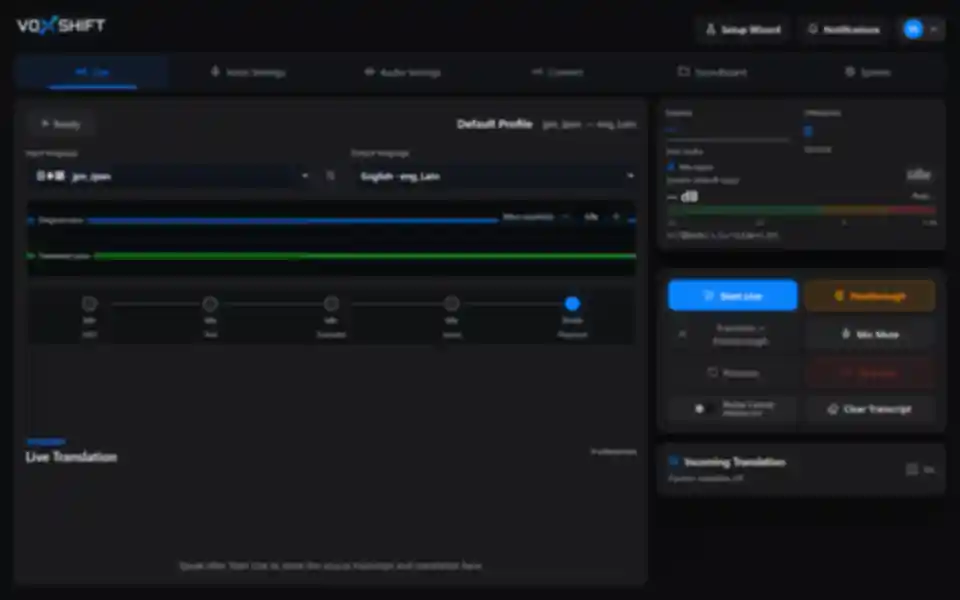
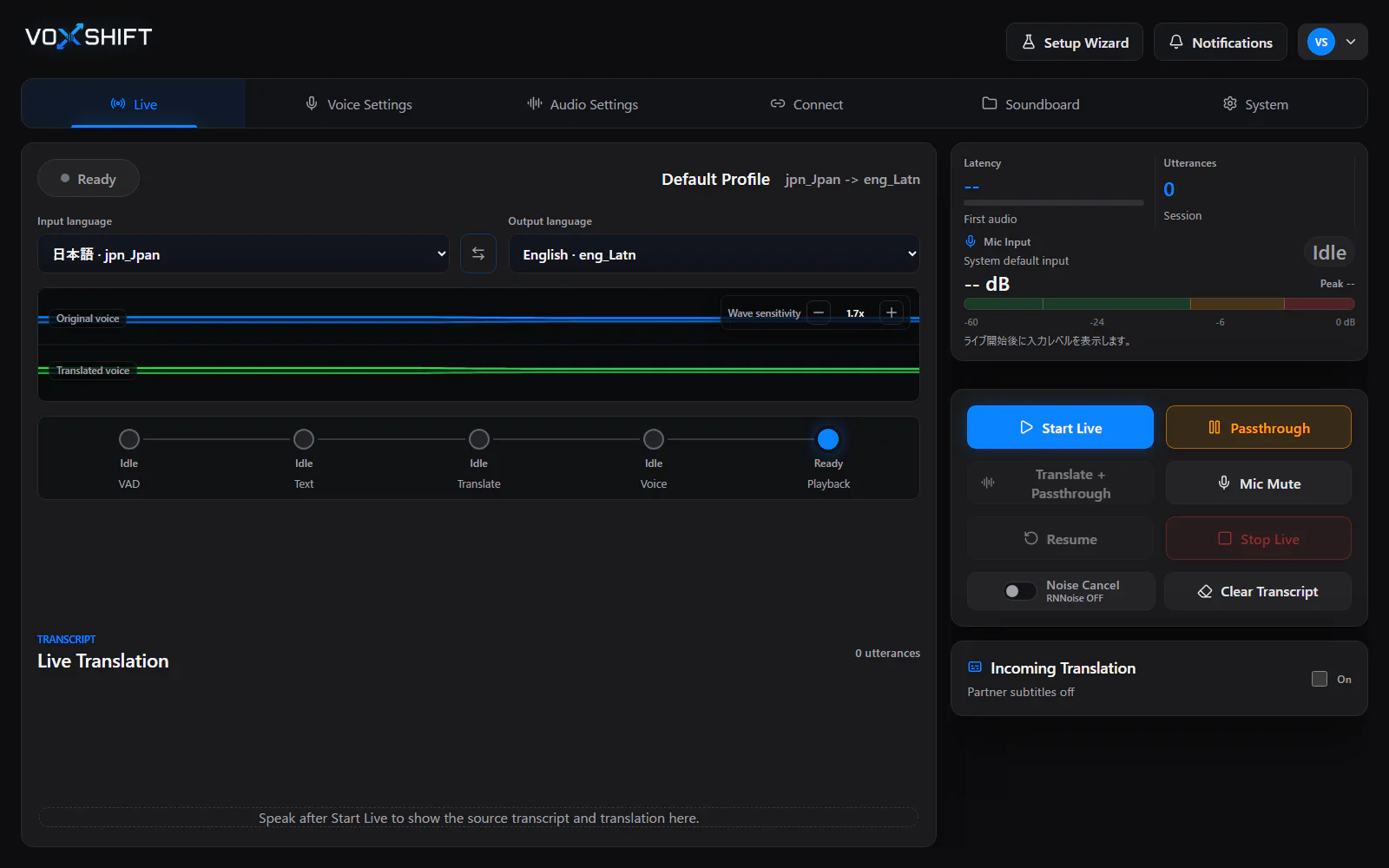
VoxShift transcribes and translates your microphone input, then outputs translated speech with reference-voice synthesis for Discord, game voice chat, OBS, and meeting apps.
Opponent audio is translated as subtitles, so conversations with friends, viewers, and teammates are supported by both voice and captions.
Supported Languages
Caption translation helps you read, but it does not let others hear you speak. Generic TTS removes your identity, and voice changers do not translate language. VoxShift is built for the gap between translation tools and real voice chat.
In VC, being able to read is not the same as being able to answer with your voice.
Even when the words are translated, a generic synthetic voice can feel detached from you.
VoxShift is designed around virtual mic output, monitoring, OBS captions, and game-friendly routing.
Outputs translated speech in a voice close to your reference voice.
Helps route translated audio to voice chat apps through virtual audio.
Your speech is output as voice while opponent audio is translated as subtitles.
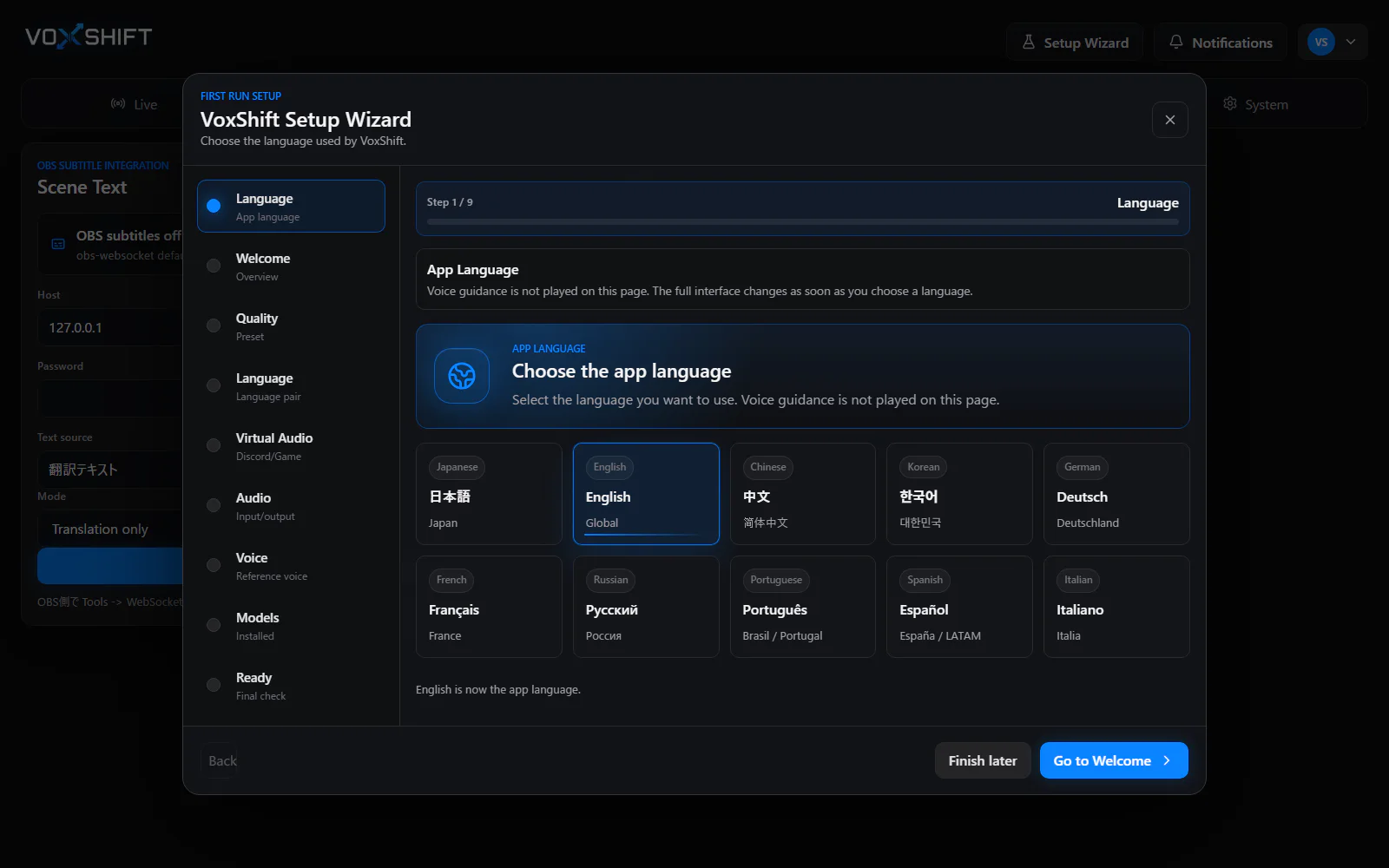
Walks through microphone, output, language, and reference-voice setup.
Sends original and translated captions to OBS for streams.
Checks GPU, VRAM, model status, and audio devices before live use.
The bidirectional mode is asymmetric to reduce GPU load and latency. Your speech is voiced, while opponent speech is translated into subtitles.
Voice output
Subtitle translation
These screenshots are captured from the current VoxShift local UI. Instead of a browser demo that hides PC requirements, the Free Trial path is focused on checking GPU, audio devices, model status, and setup readiness.
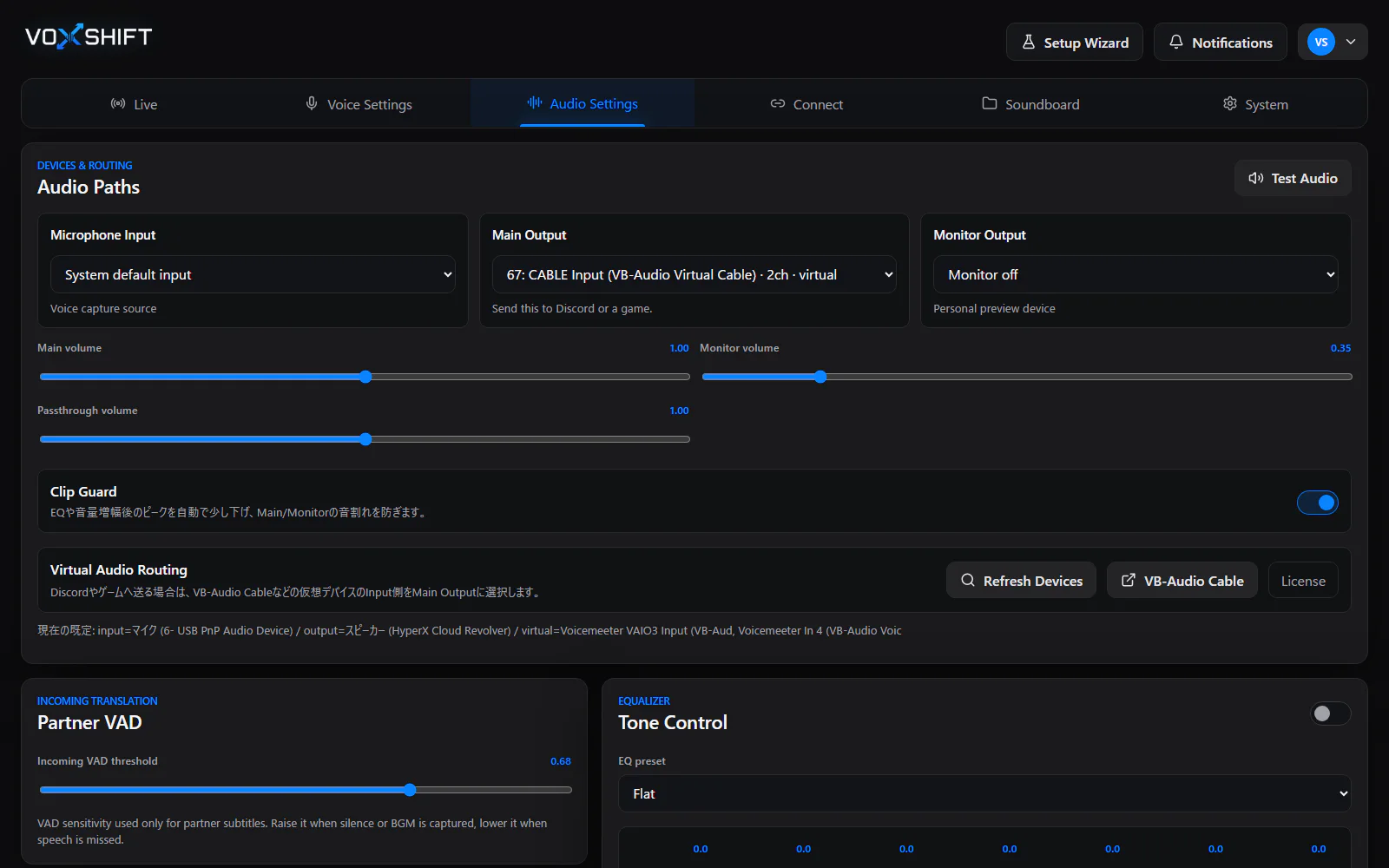
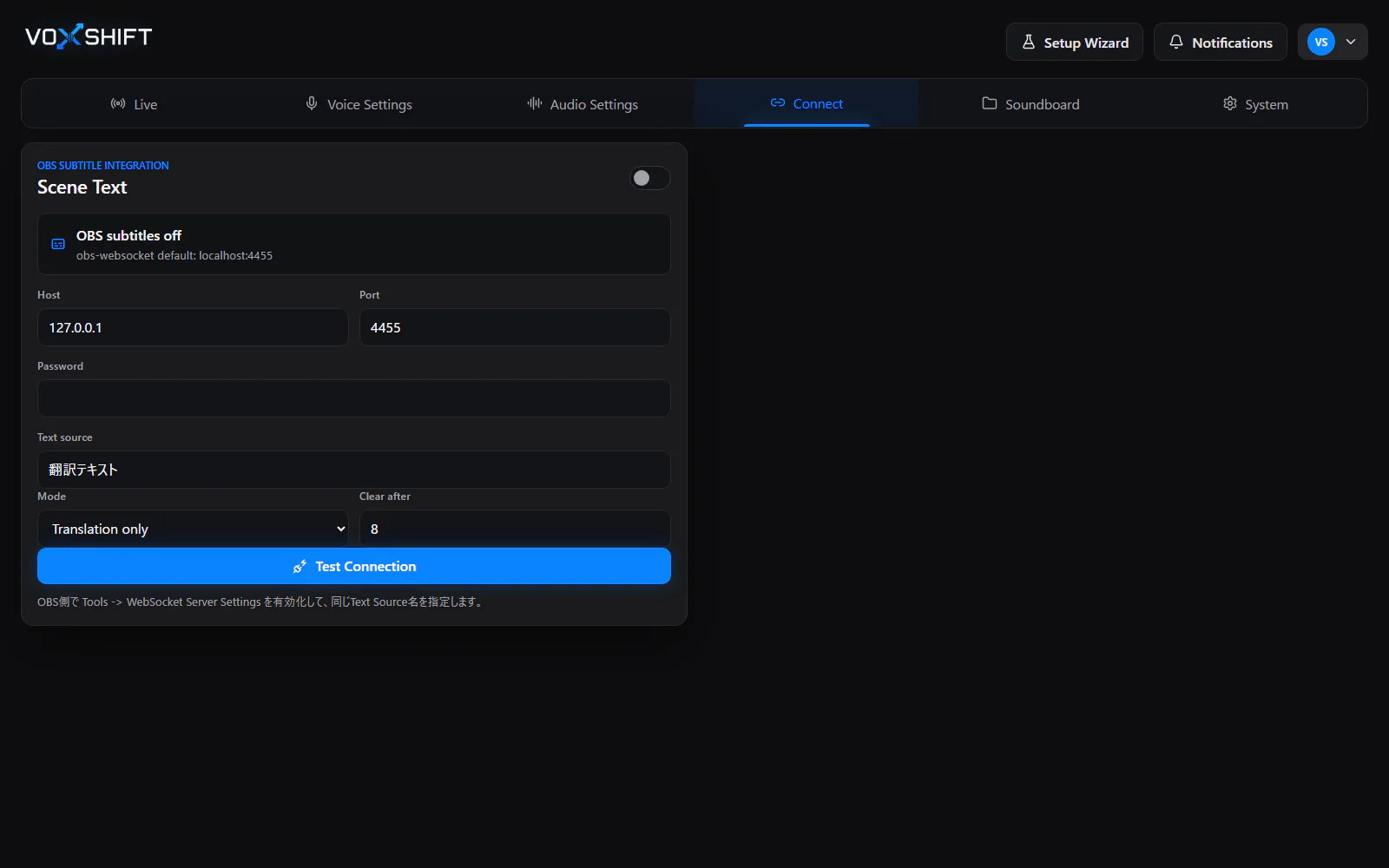
The core is still reference-voice translation. Around it, Soundboard, voice polish, and routing views make it easier to imagine how VoxShift fits Discord, game VC, and OBS after purchase.
Core
Reference voice translation + subtitles
Support
Soundboard / EQ / Routing
Soundboard cues
ReadyVoice polish
One-shot cues
Keep short confirmations and reactions ready, so a few seconds of translation delay does not stop the flow of VC.
Noise / EQ / Clip Guard
Translated voice is easier to use when cleanup, EQ, and clipping protection are part of the same workflow.
VC / Monitor / OBS
Check virtual mic, monitor output, and OBS captions as one route to reduce setup mistakes.
Talk with overseas friends in a foreign language using your own voice.
Send callouts, tactics, and reactions as translated speech.
Add translated voice and captions for international viewers.
Usable in meetings, though the main focus is VC, streaming, and games.
These pages break down the main ways people look for voice translation: Discord, game voice chat, OBS captions, reference voice, Windows setup, and local-first processing.
Discord Voice Translator
Translate Discord voice chat on Windows with reference-voice speech output, virtual mic routing, captions, and Free Trial readiness checks.
Game Voice Chat Translation
Translate your microphone for game voice chat, Discord calls, OBS streams, and international teams with VoxShift for Windows. Free Trial available on Microsoft Store.
OBS Translation Captions
Add translated captions and reference-voice translated speech to OBS streams with VoxShift for Windows. Supports OBS WebSocket text source updates.
Reference Voice Translation
Translate speech while keeping a voice close to your reference voice. VoxShift outputs reference-voice translated speech for Discord, game VC, and OBS on Windows.
Real-Time Voice Translation
Semi-real-time AI voice translation for Windows. Translate your microphone into reference-voice speech for Discord, game VC, OBS, and meetings.
Live Translation Captions
Translate microphone or desktop audio into real-time AI subtitles and live captions for OBS workflows. Test latency with the VoxShift Free Trial.
Windows Voice Translator
VoxShift is a Windows voice translator that combines microphone input, speech recognition, translation, reference-voice synthesis, OBS captions, and virtual audio routing.
System Audio Translator
Translate Windows system and desktop audio into live captions with VoxShift. Test YouTube, calls, streams, audio routing, source limits, and latency with the Free Trial.
Meeting Voice Translator
Use VoxShift with Zoom, Teams, and Google Meet through your Windows audio setup. Test translated speech, captions, latency, and routing with the Free Trial.
Local / Privacy-first Voice Translation
Privacy-focused Windows voice translation. By default, VoxShift does not send audio, reference voice, captions, or translated text to operator servers.
Virtual Microphone Translator
Route translated speech to Discord, game voice chat, OBS, and call apps through Windows audio setup. Test routing with the VoxShift Free Trial.
Voice Translator for Streamers
Use translated speech and OBS translated captions for Twitch, YouTube Live, Kick, and international streams. VoxShift is Windows voice translation software for streamers.
Microsoft Store Voice Translator
VoxShift is a Windows voice translator on Microsoft Store. Use the Free Trial to check GPU, VRAM, audio devices, Discord routing, and OBS captions before buying.
Soundboard Voice Translator
VoxShift focuses on reference-voice translation, with Soundboard cues, voice polish, OBS captions, and routing checks for Discord, game VC, and streams.
VoxShift handles AI models, virtual audio, microphones, and output routes. The setup wizard walks through the checks in order, so configuration issues are easier to find before Live starts.
Free
Download Free TrialMicrosoft Store / Steam
Buy nowVoxShift is available on Microsoft Store and Steam. A Free Trial (Microsoft Store) and free Demo (Steam) are available from each store page.
VoxShift depends on GPU performance. Please test with Free Trial before purchasing.
Live translation with reference-voice synthesis depends heavily on GPU and VRAM. Required VRAM changes by model choice, so use the in-app VRAM Counter and Readiness Check before relying on it.
| Mode | VRAM | Use Cases |
|---|---|---|
| App launch / setup | UI can be checked without loading heavy models | Settings, Readiness Check, and audio device checks |
| Low Spec Mode | Depends on selected models | Lightweight ASR, translation, and voice generation |
| High Spec Mode | Depends on selected models | Higher-quality ASR, translation, and voice generation |
| Custom Mode | Check with in-app VRAM Counter | Manually choose each model for your use case |
No. VoxShift is semi-real-time voice translation, and latency varies by environment.
Yes. In the first version, opponent audio is translated as subtitles.
Not in the first version. Overlapping speech may reduce accuracy.
No. It aims for speech close to your reference voice, not perfect reproduction.
No. Voices without consent are prohibited.
VoxShift depends on GPU performance. Please test with Free Trial before purchasing.