
Built for Discord routing
VoxShift focuses on microphone input, translated voice output, a monitor to hear it yourself, and virtual audio routing for real voice chat workflows.
VoxShift is built for people who want to speak in foreign-language Discord voice chat without becoming a generic TTS voice. It transcribes your microphone, translates the text, and outputs reference-voice speech through your PC audio route. In Fast mode, translation starts before you finish your sentence.
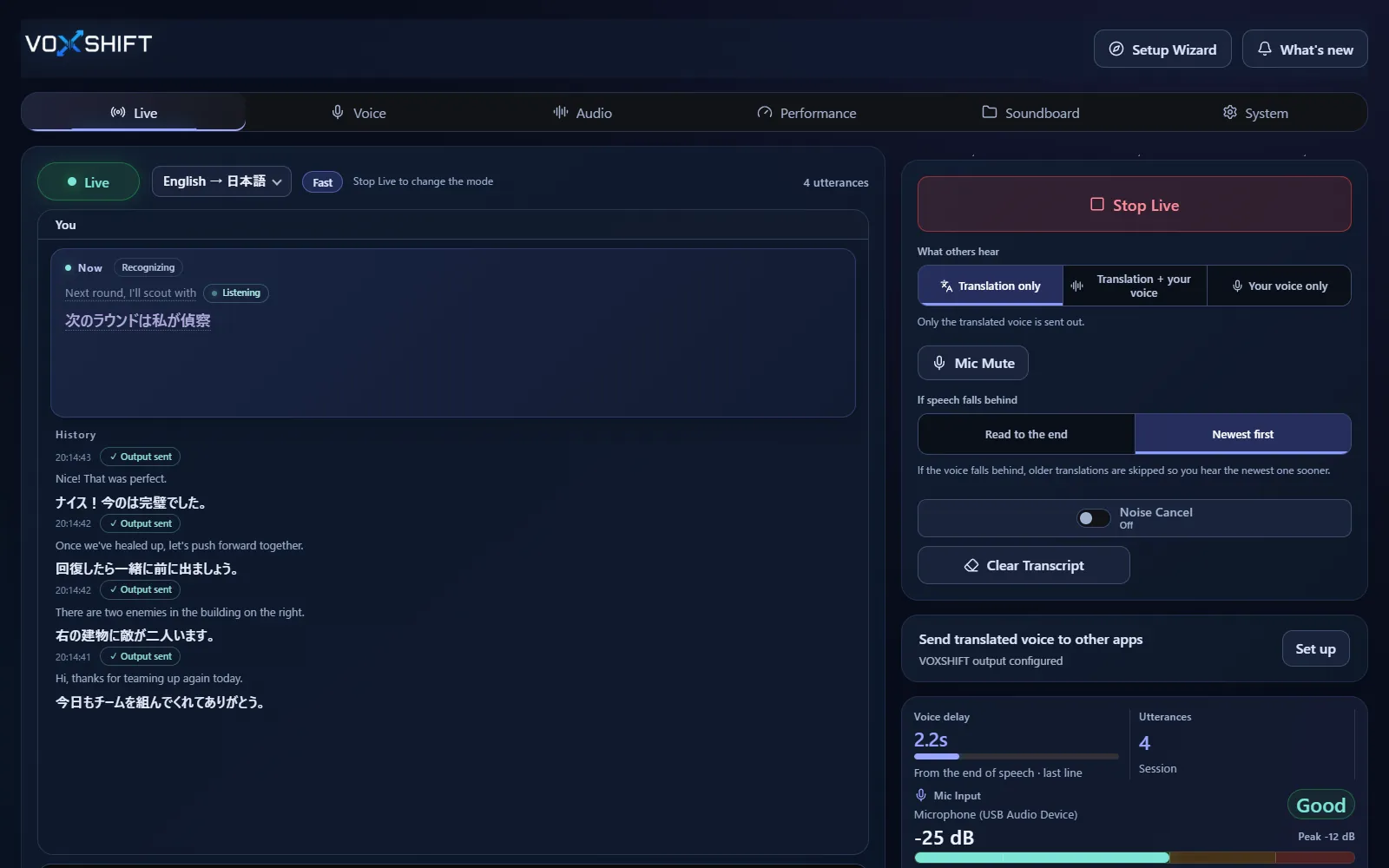
VoxShift focuses on microphone input, translated voice output, a monitor to hear it yourself, and virtual audio routing for real voice chat workflows.
Turn on partner subtitles to read what the other person says, translated as text. Their speech is never played back as translated voice.
Live voice translation requires an NVIDIA CUDA GPU (GTX 16 / RTX 20 series or newer) with 4 GB VRAM or more. Check your PC with the free version before purchasing.
Live voice translation requires an NVIDIA CUDA GPU (GTX 16 / RTX 20 series or newer) with 4 GB VRAM or more, and results also depend on your audio devices and routing. Test the free version (Steam Demo or Microsoft Store free trial) on your own PC before purchasing. It limits each Live session to 10 minutes, translates into English only, uses a fixed light model set, and allows up to 3 soundboard items.
Install the free version (Steam Demo or Microsoft Store free trial), choose your microphone and languages, optionally record a short voice sample, send the output to a virtual audio device such as VB-CABLE, then select that device as your microphone in Discord. Test latency and voice quality before buying.
No. VoxShift is a Windows app. It is designed to route translated speech to Discord through your local audio setup.
No. Fast mode starts translating before you finish your sentence, but speech recognition, translation, and voice generation still take time. Latency varies by GPU, settings, sentence length, and audio setup.
No. The other person's speech is shown as translated partner subtitles and is never played back as translated voice. Only your own microphone becomes translated speech.
Voice translation is highly dependent on your PC. Before buying, check your PC, devices, and latency with the free version. Steam and Microsoft Store sell separate products, each a one-time purchase.