
Translated speech output
VoxShift is designed to turn your microphone input into translated speech that can be routed to voice chat or OBS.
VoxShift transcribes your microphone, translates the text, generates reference-voice translated speech, and routes the output through your Windows audio setup. Choose Fast mode, which starts translating before you finish your sentence, or Quality mode, which waits for more context. It is near real-time rather than zero-latency, but it is built for people who need translated speech, not only translated captions.
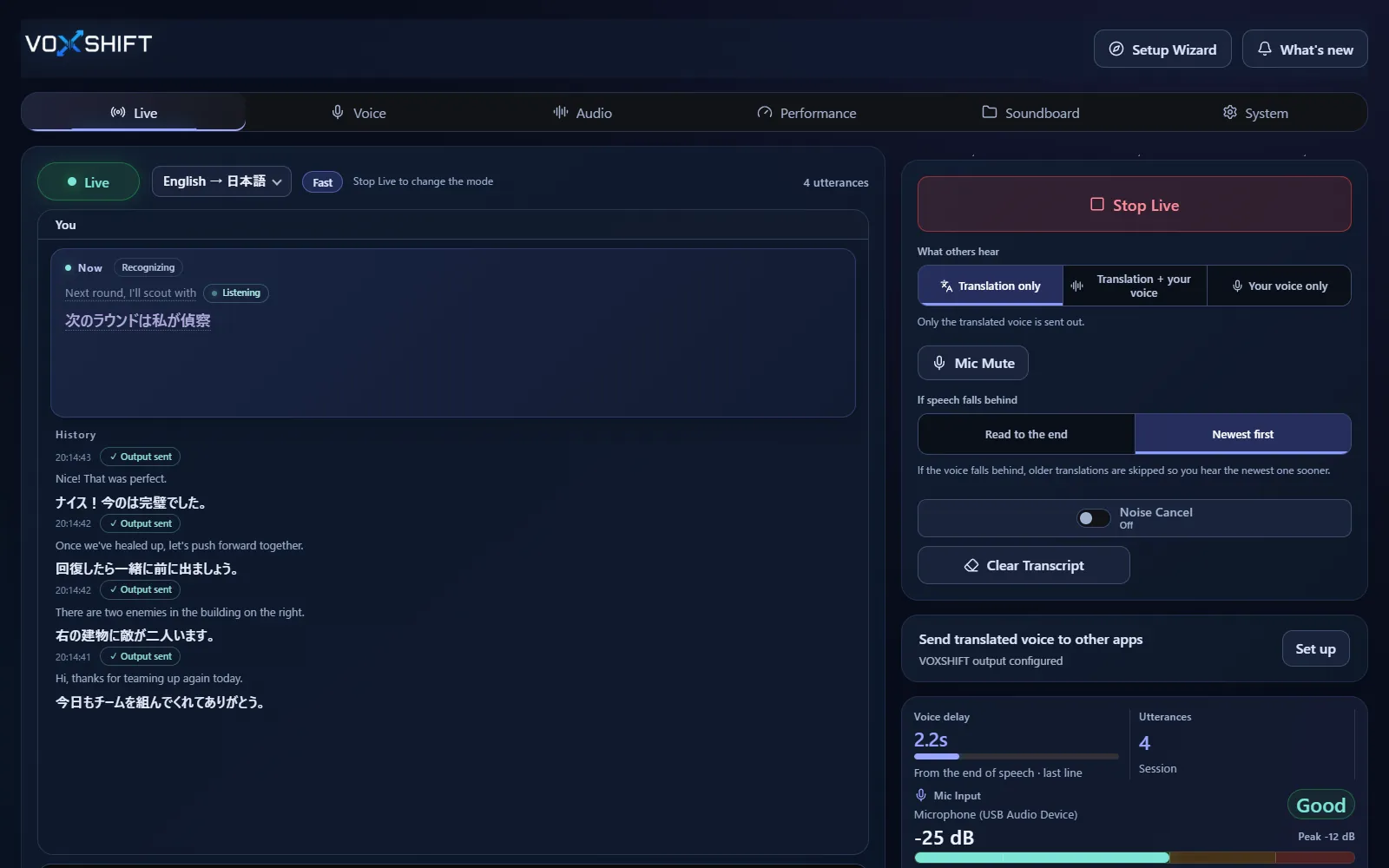
VoxShift is designed to turn your microphone input into translated speech that can be routed to voice chat or OBS.
Test Discord, game voice chat, OBS, and meeting apps through Windows audio devices and routing.
Speech recognition, translation, and voice generation take time, and latency depends on your GPU, settings, and sentence length. Check it with the free version before purchasing.
Live voice translation requires an NVIDIA CUDA GPU (GTX 16 / RTX 20 series or newer) with 4 GB VRAM or more, and results also depend on your audio devices and routing. Test the free version (Steam Demo or Microsoft Store free trial) on your own PC before purchasing. It limits each Live session to 10 minutes, translates into English only, uses a fixed light model set, and allows up to 3 soundboard items.
No. VoxShift is near-real-time voice translation. Fast mode starts translating before you finish your sentence, but recognition, translation, and voice generation still add latency.
VoxShift includes caption checking, but it is also designed to output translated speech for voice chat, streams, and routed audio workflows.
It is designed for apps where Windows audio inputs or virtual audio routes can be selected, such as Discord, game voice chat, OBS, and meeting apps. Test your exact setup with the free version.
Voice translation is highly dependent on your PC. Before buying, check your PC, devices, and latency with the free version. Steam and Microsoft Store sell separate products, each a one-time purchase.