
Windows 10/11 focused
For 64-bit Windows 10 (version 2004 or later) and Windows 11. Available on Steam and Microsoft Store, designed for local Windows PC audio workflows.
VoxShift is a Windows app for people who need voice translation outside meeting-room subtitles. It focuses on Discord, game voice chat, OBS streaming, setup diagnostics, and PC-ready audio routing.
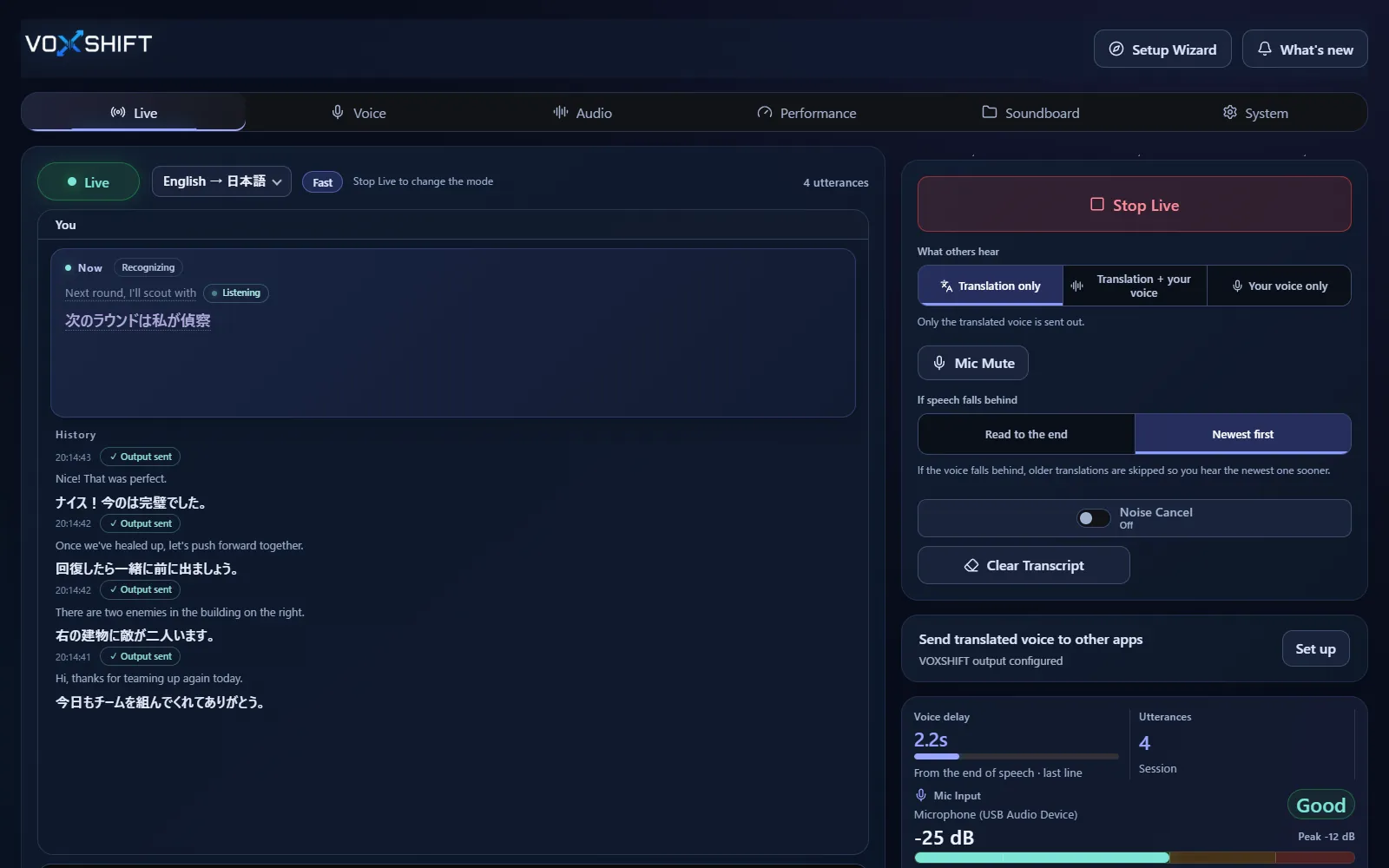
For 64-bit Windows 10 (version 2004 or later) and Windows 11. Available on Steam and Microsoft Store, designed for local Windows PC audio workflows.
Use the Steam Demo or the Microsoft Store free trial to check your GPU, VRAM, audio devices, and whether Live can start before buying.
Routing, subtitles, and reference-voice translation are shaped around Discord, games, and OBS.
Live voice translation requires an NVIDIA CUDA GPU (GTX 16 / RTX 20 series or newer) with 4 GB VRAM or more, and results also depend on your audio devices and routing. Test the free version (Steam Demo or Microsoft Store free trial) on your own PC before purchasing. It limits each Live session to 10 minutes, translates into English only, uses a fixed light model set, and allows up to 3 soundboard items.
Yes. VoxShift is a Windows app, available on Steam and Microsoft Store.
Yes. Steam offers a free Demo on the same store page (the Steam version is in Early Access), and Microsoft Store offers a free trial on the same listing. The two stores sell separate products with separate licenses; both are a one-time purchase with no subscription.
Live voice translation needs an NVIDIA CUDA GPU (Turing or newer: GeForce GTX 16 / RTX 20 series or newer) with 4 GB VRAM or more. On PCs with less GPU memory, VoxShift picks a Low VRAM or Ultra-low VRAM mode automatically (you can also choose under Performance → Manual settings). Ultra-low VRAM runs translation on the CPU, so it can be slower. AMD Radeon, Intel GPUs, and PCs without a GPU can run setup and diagnostics only.
Voice translation is highly dependent on your PC. Before buying, check your PC, devices, and latency with the free version. Steam and Microsoft Store sell separate products, each a one-time purchase.